Two Ways to Play on Mobile — and What Each One Costs You
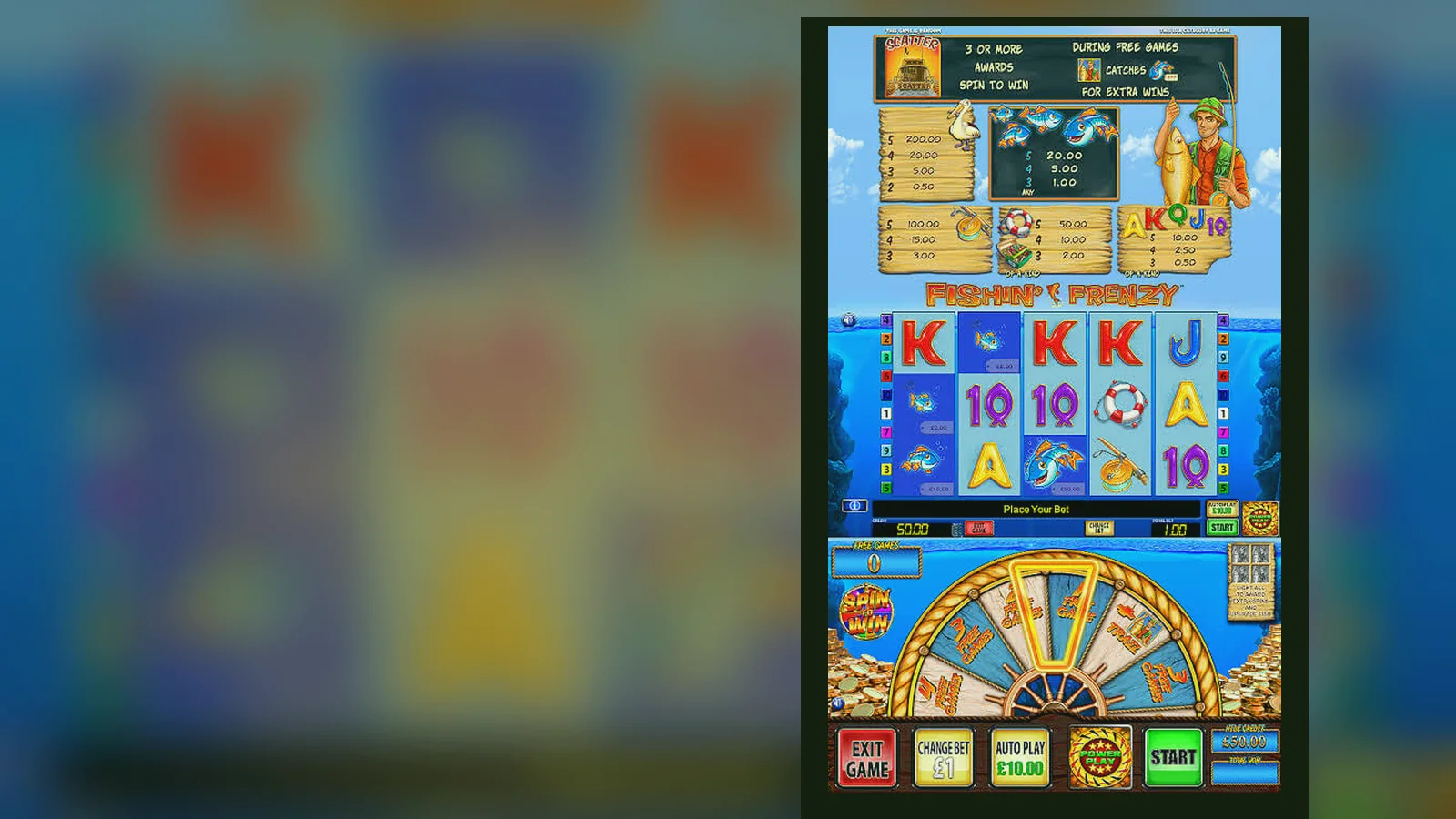
Most players think downloading an app is simpler. It's not — it's faster to launch once it's done, but the setup eats time, storage, and sometimes security if you pick the wrong source. The mobile browser route costs you a few taps each session but skips the install faff entirely.
Both paths get you to the same game, same £5 stake cap (£2 if you're 18–24), same RTP. The difference is in what you trade: convenience for control, or speed for scrutiny. Here's how each method works, what it demands from your phone, and where the risks sit.
What You're Actually Downloading — the Store-Card Breakdown
If you're hunting for Fishin' Frenzy as a standalone app, you won't find it in the App Store or Google Play. Blueprint Gaming doesn't publish individual slot apps; the game lives inside casino operator apps or mobile sites. Here's what a typical operator app card looks like — these numbers reflect a mid-sized UK casino app carrying Fishin' Frenzy and a few hundred other titles.
The «in-app purchases» line is your deposit range. The app itself is free; the money moves when you fund your account. Every deposit must come from a debit card, PayPal, Apple Pay, Open Banking or paysafecard in your own name — credit cards have been banned for UK gambling since 2020. Affordability checks kick in from £150 net deposits a month, pulling credit-reference data at the first stage, so budget accordingly before you hit that threshold.
Four Install Paths — Cost, Risk, and What Each One Asks of You
Here's every legitimate route to get Fishin' Frenzy on your phone, step-by-step, with the hidden costs and red flags for each.
| Method | Time | Risk | Best for | |
|---|---|---|---|---|
| Mobile browser bookmark | 30 seconds | None | Trying the game or occasional play | → |
| Add to home screen (PWA) | 2 minutes | None | Regular play without install faff | → |
| Operator app (App Store / Google Play) | 3–4 minutes | Low if from official store | Fastest launches, push notifications | → |
| APK sideload | 5+ minutes | High — clones, malware, stolen data | Never recommended | → |
Path 1: Mobile browser bookmark. Open Safari or Chrome, visit a UKGC-licensed casino that hosts Fishin' Frenzy, log in (or create an account and pass age verification — usually 24–48 hours for document checks), tap the game tile, then bookmark the page. Total cost: none. You're playing the HTML5 version, which is identical to the app build but loads fresh each session. Data use: roughly 15 MB per 30-minute session on 4G.
Path 2: Add to home screen (progressive web app). Same starting point as Path 1, but after you open the game page, tap Share (iOS) or the three-dot menu (Android) and choose «Add to Home Screen». The icon appears alongside your native apps, and the game launches in a stripped-down browser frame — no address bar, no tabs. It's not a true app, but it feels like one. No download, no App Store approval, no permissions. If the operator updates the game, you get the new version automatically on your next launch.
- Visit the casino's mobile site in your browser.
- Log in and navigate to Fishin' Frenzy.
- Tap Share (iOS) or the menu icon (Android).
- Select «Add to Home Screen» and confirm.
- Launch from the home screen icon going forward.
Path 3: Operator app from App Store or Google Play. Search for the casino's official app by name — not «Fishin' Frenzy», because Blueprint doesn't publish one. Check the developer name matches the operator, then check the operator's UKGC licence number in their site footer against the public register. Install the app, open it, log in (or register and verify), find Fishin' Frenzy in the lobby. The app caches graphics and sounds, so subsequent launches are faster, and you'll get push alerts for bonuses if you enable notifications. Storage cost: 42 MB plus cached data (another 20–30 MB over time). Data cost: initial download on Wi-Fi recommended; gameplay uses ~10 MB per session once assets are cached.
- Open the App Store (iOS) or Google Play (Android).
- Search the operator's exact name and verify the developer.
- Tap Install and wait for the download to finish (42 MB).
- Open the app and log in or complete registration.
- Age and identity checks happen before your first deposit — have ID ready.
- Navigate to the slots lobby and search «Fishin' Frenzy».
Path 4: APK sideload (Android only). This means downloading an .apk file from a third-party site and manually installing it. It's legal in the UK if the app itself is from a licensed operator, but the risk is high: clones, malware, credential theft, rigged RTP, and no recourse if something goes wrong. Google Play Protect will flag unknown sources, and you'll need to disable security settings to proceed. If an unlicensed site offers an APK, you're outside UKGC protection — no GAMSTOP block, no dispute process, no safer-gambling tools. Unless you're installing an APK directly from a licensed operator's own site (and even then, the Play Store version is safer), skip this path.
What Your Phone Needs — and What Happens When It Doesn't Measure Up
Fishin' Frenzy runs on HTML5, so the technical bar is low. iOS 13 or Android 8 will do it, but older devices struggle with animation frame rates when the free-spins feature fires and the screen fills with fish symbols. A phone from 2019 or later handles it comfortably. Here's the floor and the ceiling.
- Operating system: iOS 13+ or Android 8+ (earlier versions may load the game but drop frames or crash mid-session).
- RAM: 2 GB minimum; 3 GB or more keeps the session stable if you're switching apps or taking a call.
- Storage: 100 MB free for browser cache or 70 MB for the PWA; 80–100 MB for a native operator app plus cached assets.
- Network: 4G or Wi-Fi; 3G will load the game but lag on every spin, which matters when you're chasing a bonus round.
- Screen: 4.7 inches or larger recommended — smaller screens make the paytable hard to read and the settings icon a thumb-lottery.
If your phone's older than 2018, expect the game to load but stutter during the fisherman feature, especially if you're running other apps in the background. Close everything else, clear your browser cache, and play on Wi-Fi. If that doesn't smooth it out, the hardware's the bottleneck, and no amount of settings tweaking will fix it.
Battery drain: Fishin' Frenzy isn't demanding by modern standards, but animation, sound, and a persistent network connection will pull 10–15% per hour on an average battery. If you're playing on 4G instead of Wi-Fi, add another 5%. Plug in for long sessions or accept that you'll need a top-up before the evening's out.
What the Latest Version Changed — and Why It Matters to Your Bankroll
Blueprint pushes updates every few months, usually to fix bugs, tweak animations, or adjust how the game handles network interruptions. The version number sits in the game's info screen (tap the «i» icon in the bottom corner). As of December 2026, the current build is 3.8.1. Here's what changed and what it means in practice.
- Network recovery: if your connection drops mid-spin, the game now reconnects and resumes from the last confirmed state instead of voiding the round. That's a bankroll saver if you're playing on patchy 4G — older versions sometimes registered a lost connection as a lost bet.
- Faster Payments integration: withdrawal requests inside UK operator apps now default to Faster Payments if your casino supports it, cutting payout time to same-day or two working days instead of the old 3–5 day card return. You'll still wait 24–48 hours for KYC on your first withdrawal, but after that, it's quicker.
- Autoplay compliance: autoplay now stops automatically after 100 spins or if your balance drops below 10× your stake, whichever comes first. This is a UKGC rule tightening from mid-2026, designed to curb runaway sessions. You can restart autoplay manually, but the forced pause is intentional.
- Stake cap reminders: if you're 18–24 and logged into a UKGC-licensed account, the game now caps your stake at £2.00 per spin and shows a one-time reminder when you open it. Players 25+ see the £5.00 cap. This replaced the old honour-system age gate and tightened enforcement across all Blueprint slots.
Older versions (pre-3.7) didn't have the network recovery feature, so if you're playing a cached PWA or an operator app that hasn't updated in six months, you're at higher risk of a voided spin on bad signal. Check the version number in-game and compare it to the operator's latest app update in the store. If they're out of sync, delete and reinstall.
Spotting Fake Clones — Permissions, Publishers, and the Red Flags That Cost You
Fake Fishin' Frenzy apps exist, especially as APKs on third-party download sites. Some are low-effort clones with redrawn graphics and broken features; others are sophisticated credential-harvesting tools dressed up as the real game. Here's how to tell the difference before you hand over your login or payment details.
- Publisher mismatch: the real game is published by Blueprint Gaming and distributed through licensed casino operators. If the app lists a random developer name (« FishGames Ltd », « Slot Masters », « Casino Pro 2026 ») or no developer at all, it's fake.
- Permissions overreach: a legitimate slot app asks for network access, storage (to cache graphics), and optionally notifications and location (for geofencing, which some UKGC operators use to block play outside the UK). If it asks for contacts, SMS, phone calls, camera, microphone, or device admin rights, it's either a clone or malware. Decline and uninstall.
- No UKGC operator branding: real Fishin' Frenzy apps live inside casino operator apps with visible UKGC licence numbers in the footer or settings. A standalone «Fishin' Frenzy» app with no casino branding is either a demo wrapper (no real money, which you'd spot immediately) or a fake. Blueprint doesn't publish solo slot apps.
- Suspiciously small file size: if an APK claims to be the full game but weighs under 10 MB, it's a shell that either streams from an unlicensed server or redirects you to a phishing site once you try to log in.
- Payment methods that shouldn't exist: if the app accepts credit cards (banned in the UK since 2020) or cryptocurrency (not accepted by UKGC-licensed operators for Fishin' Frenzy), you're in unlicensed territory. No GAMSTOP protection, no recourse, no regulatory oversight.
- Reviews mentioning rigged RTP or withdrawal blocks: check the app's review section for patterns. If multiple users report that withdrawals never arrive or that the game's hit rate is far below normal, it's either a clone running altered RNG or an unlicensed operator stalling payouts.
The safest rule: only install casino apps from the App Store or Google Play, and only from operators whose UKGC licence number you've checked in the public register. If you're tempted by an APK because it promises «unlocked features» or «higher RTP», you're about to lose more than your bankroll — credential theft and bank fraud follow dodgy installs.
One last flag: if a site offers a «modded» or «premium» version of Fishin' Frenzy with free spins or bonus cash that doesn't require a deposit, it's a scam. Real-money slots don't have cheat codes, and any app pretending otherwise is either farming your data or setting you up for identity theft.
FAQ
Do I need a separate app for Fishin' Frenzy, or does it run in the browser?
Fishin' Frenzy runs in both. There's no standalone app — Blueprint Gaming doesn't publish individual slot apps. You'll find it inside casino operator apps (available in the App Store and Google Play) or on mobile casino sites, where it runs as an HTML5 game in Safari or Chrome. The browser version and the in-app version are identical; the difference is launch speed and whether you want to use phone storage. If you're only playing occasionally, bookmark the browser version. If you're on it daily, the operator app or a progressive web app shortcut (add to home screen) is faster.
How do I know the app I'm downloading isn't a fake clone?
Check three things: the publisher name (it should be a licensed UK casino operator, not a random developer), the UKGC licence number (cross-check it in the public register), and the app's permissions (if it asks for contacts, SMS, camera, or admin rights, it's fake). Only download from the App Store or Google Play, never from third-party sites. If an APK claims to be Fishin' Frenzy standalone or promises «unlocked features», it's a scam — Blueprint doesn't publish solo slot apps, and real-money slots don't have cheat modes.
Will the mobile version drain my data allowance or battery faster than desktop?
Data: expect 10–15 MB per 30-minute session once the game's assets are cached. The first load pulls more (up to 40 MB), so do that on Wi-Fi. Battery: 10–15% per hour on average, 20% if you're on 4G instead of Wi-Fi. Fishin' Frenzy isn't demanding by modern standards, but animation, sound, and a persistent connection add up. Plug in for long sessions or accept that you'll need a charge before the evening's done.
What happens if my connection drops mid-spin — do I lose the bet?
Not on the latest version (3.8.1 or later). The game now reconnects and resumes from the last confirmed state, so if you drop signal between clicking Spin and the reels stopping, the result is held server-side and displays when you're back online. Older versions (pre-3.7) sometimes voided interrupted rounds, which cost you the stake. If you're playing on patchy 4G, check the version number in the game's info screen and update if you're behind — it's worth it for the network recovery feature alone.